TumbuhIDENTry free for 1 month

Never wonder which vaccine is next

Tumbuh follows the Kemenkes immunisation schedule for your child's age and marks what has been given, is due soon or is late.

Try free for 1 month

Put Tumbuh on your home screen

Tumbuh is a web app. Install it once and it opens like any other app, on Android and on iPhone.

Android (Chrome)

Open app.tumbuhapp.id in Chrome and tap Install. No button? Tap the menu, then Add to Home screen.

iPhone and iPad (Safari)

Open app.tumbuhapp.id in Safari, tap Share, then Add to Home Screen.

Real app screens, sample family.

The problem

The schedule is long, and the record is handwritten

  • The routine schedule has many doses in the first two years, each with its own window.
  • The dates live on a Buku KIA page that is easy to lose, hard to read, or left at home on the day of the visit.
  • A missed dose is easy to notice too late.
How Tumbuh solves it

Tumbuh keeps the schedule for you

  • Every routine Kemenkes dose by age, marked done, due soon or late. Optional vaccines are listed and never marked late.
  • Photograph the Buku KIA immunisation page. Tumbuh reads the dates, and you confirm each one before it is saved.
  • A reminder before a dose is due, and a vaccine card to show at the clinic.

Photograph the Buku KIA, and the vaccines are recorded

Watch Raka's sample immunisation page (5 months) being read. TuAI (Tumbuh AI) reads the date, dose and place, you check them, then the schedule shows what is next.

A demo with sample data. Nothing is saved, and you don't need an account.

1/6Open the camera on the Buku KIA immunisation page

From the Buku KIA page to the next dose

1

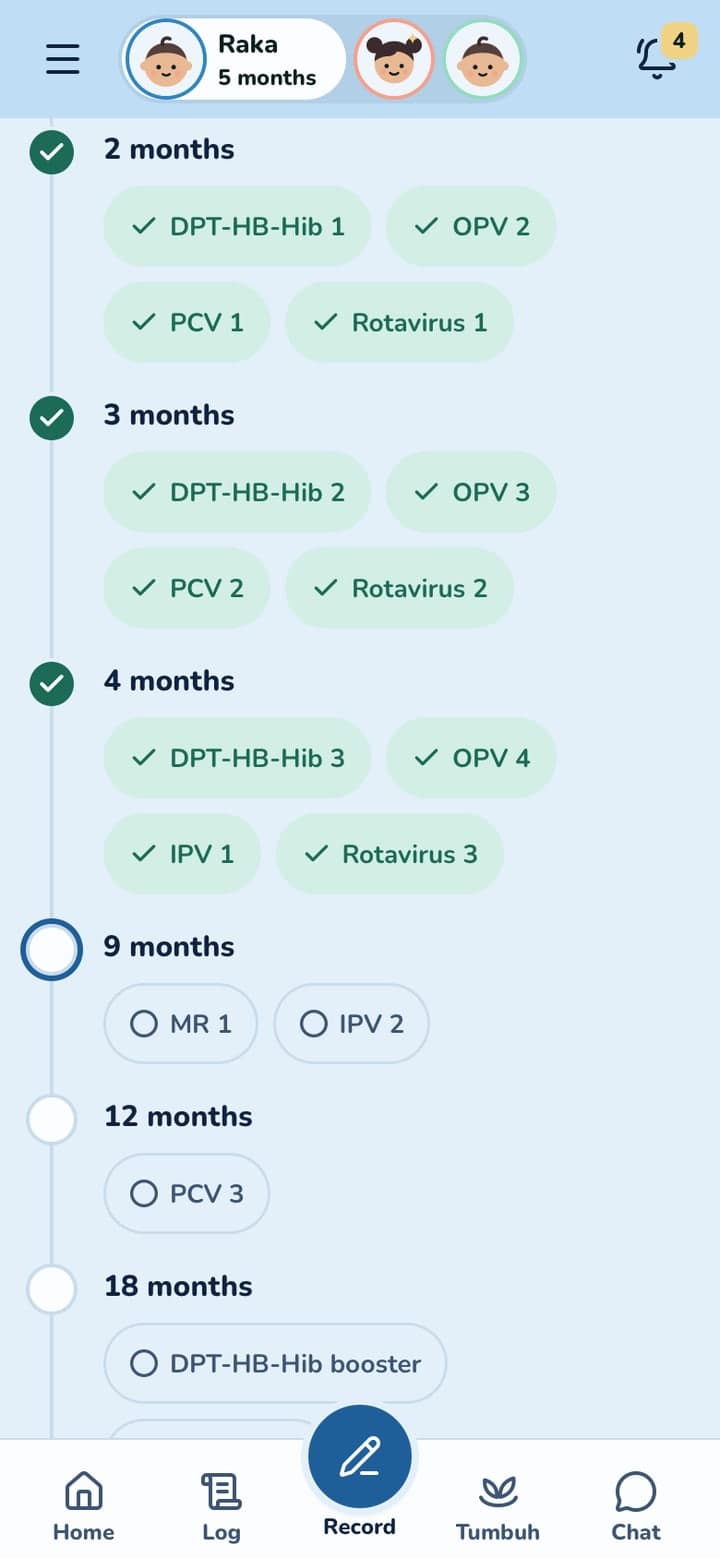
Raka, 5 months: the schedule shows what is done and what is next.

2

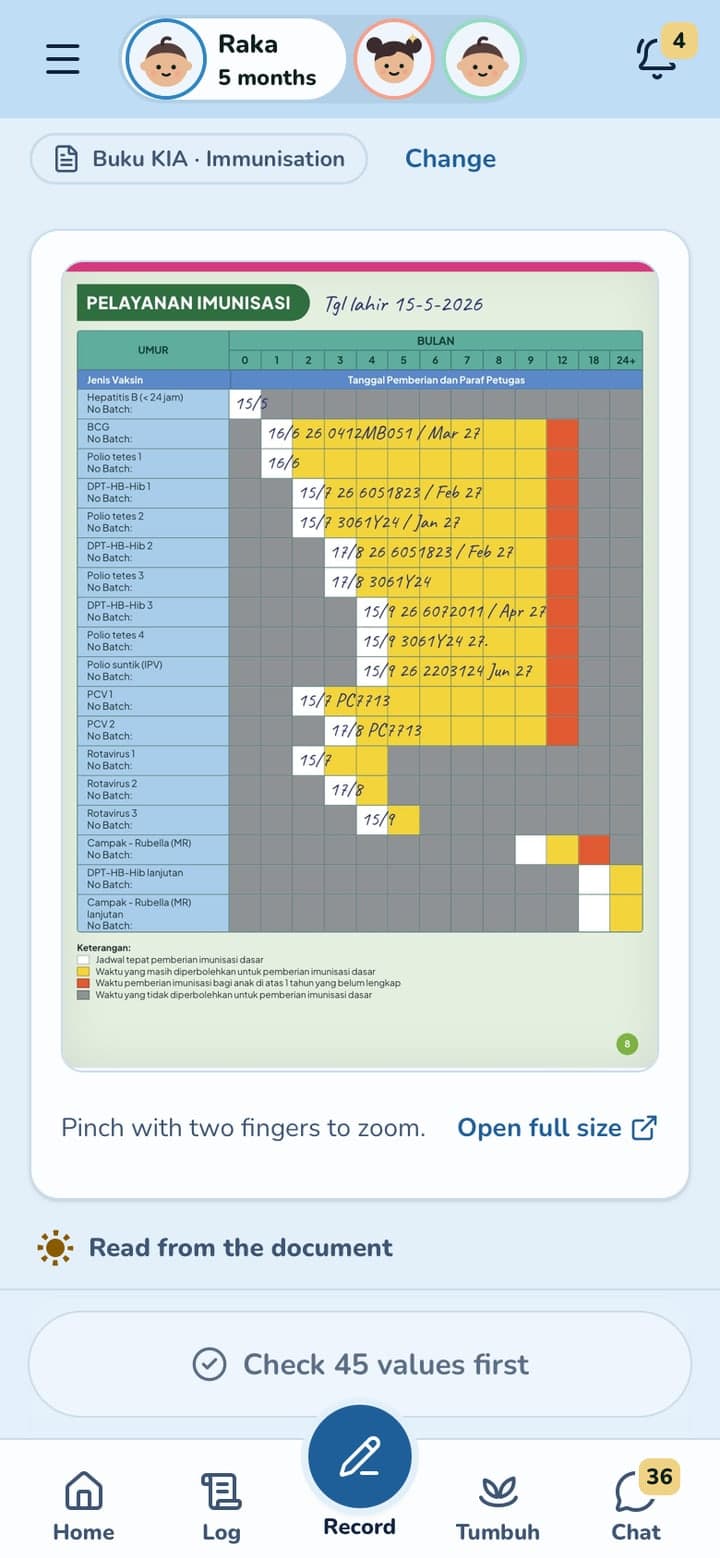
Photograph the Buku KIA page and check what Tumbuh read.

3

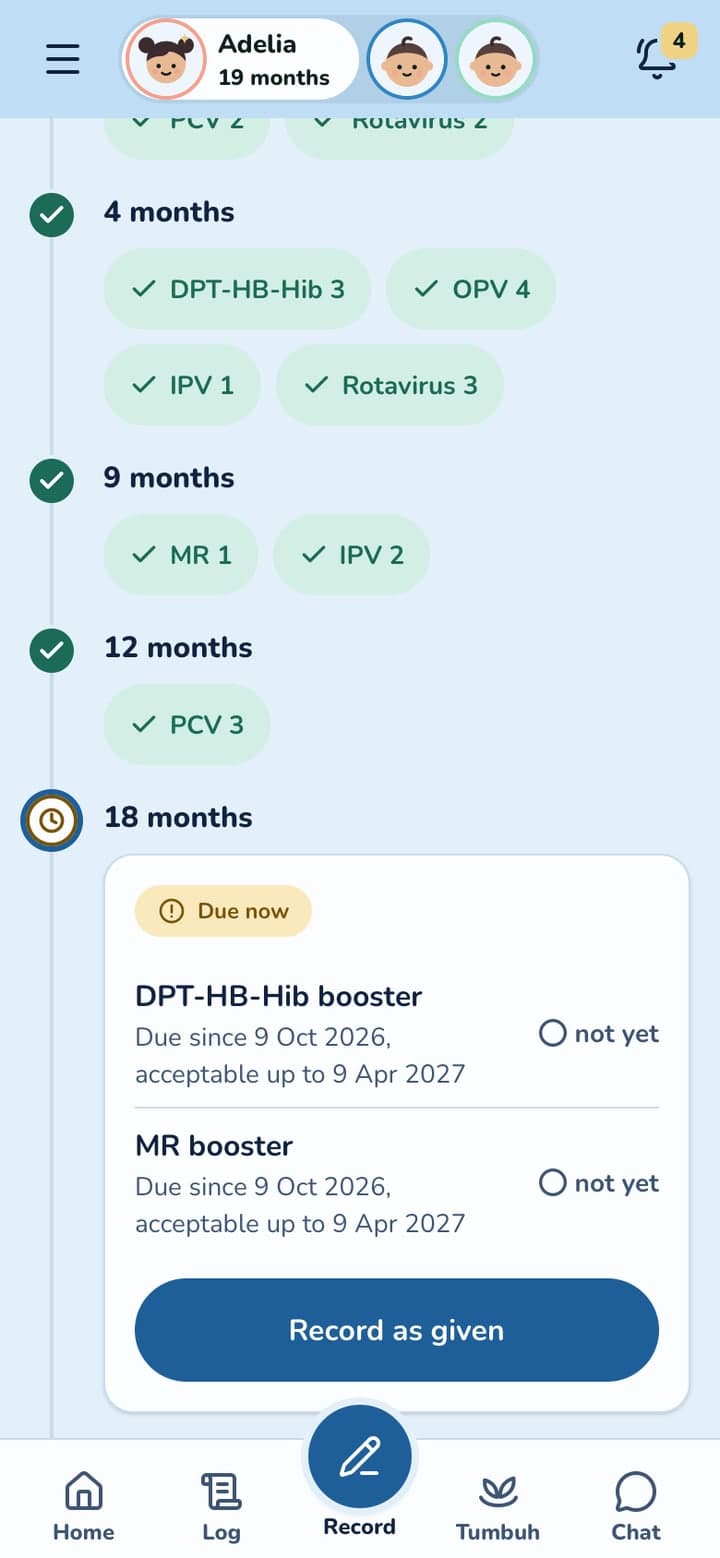
Every dose for Adelia, grouped by age.

4

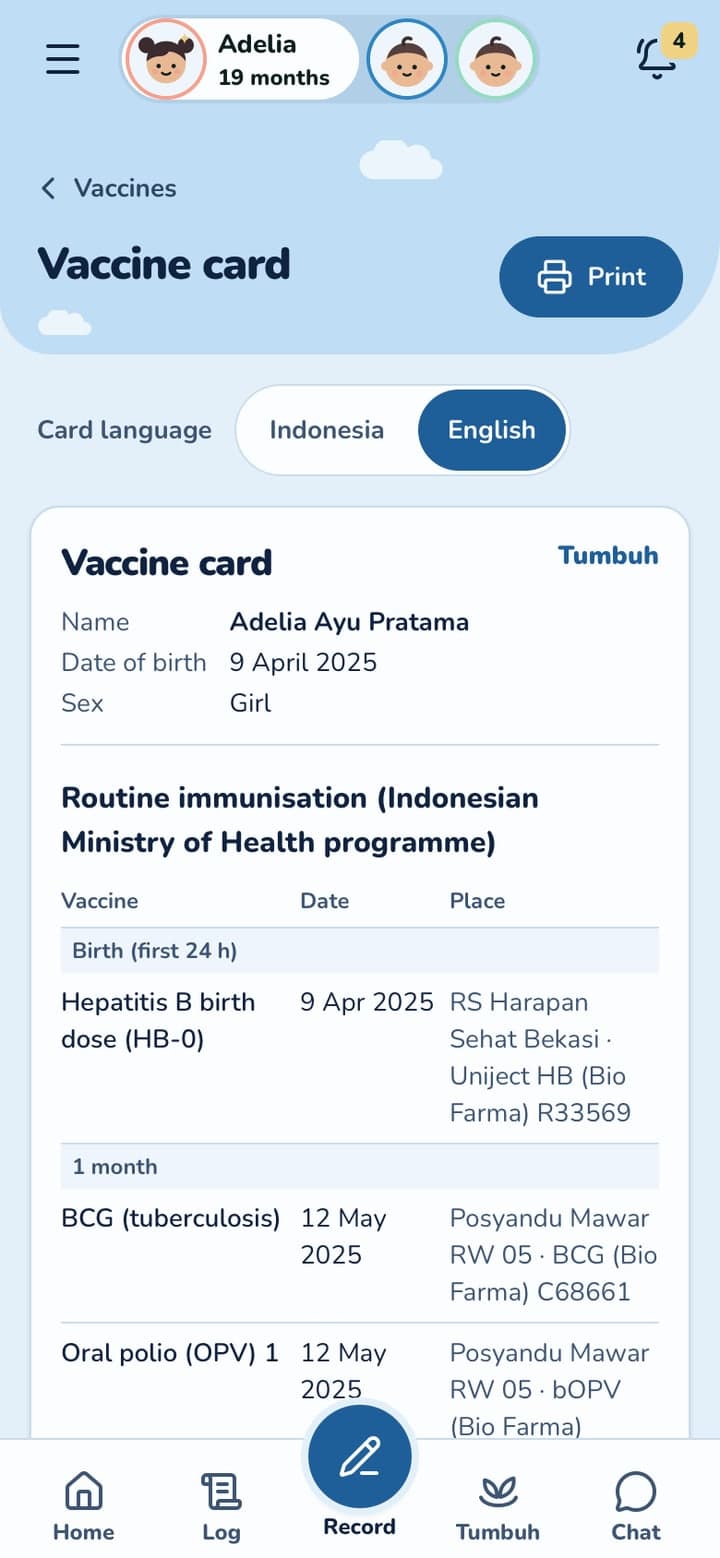
The vaccine card, in Indonesian or English, ready to print.

Swipe to see more

The whole schedule, kept for you

The Kemenkes routine schedule

From HB-0 at birth to the follow-up doses, grouped by age.

Optional vaccines

Listed beside the routine ones and never marked late.

Reminders

A notification before a dose is due, in the app and by email.

Dose details

The date and place, the brand and batch if you have them, and any reaction.

Questions parents ask

Does Tumbuh decide which vaccine my child gets?

No. Tumbuh shows the Kemenkes routine schedule for your child's age. Your doctor or posyandu decides each dose.

What if a dose was late?

Record it with its real date. Tumbuh keeps it as given, and the rest of the schedule stays in view.

Can I print the vaccine card?

Yes. The card prints in Indonesian or English.

How does the free trial work?

Every new family gets a free trial of 1 month, with every feature open. You don't need a card, and nothing is charged. After the trial, TuAI (Tumbuh AI), Ask TuAI and the nanny features need Tumbuh Premium; your logs, reports and vaccines stay free.

More questions

Start your child's record today

Start with a free 1 month trial, every feature included. On Android and iPhone.

Put Tumbuh on your home screen

Tumbuh is a web app. Install it once and it opens like any other app, on Android and on iPhone.

Android (Chrome)

Open app.tumbuhapp.id in Chrome and tap Install. No button? Tap the menu, then Add to Home screen.

iPhone and iPad (Safari)

Open app.tumbuhapp.id in Safari, tap Share, then Add to Home Screen.