TumbuhIDENTry free for 1 month

Your child's day, even while you work

The nanny logs from her own phone, and you see it in the family chat as it happens.

Try free for 1 month

Put Tumbuh on your home screen

Tumbuh is a web app. Install it once and it opens like any other app, on Android and on iPhone.

Android (Chrome)

Open app.tumbuhapp.id in Chrome and tap Install. No button? Tap the menu, then Add to Home screen.

iPhone and iPad (Safari)

Open app.tumbuhapp.id in Safari, tap Share, then Add to Home Screen.

Real app screens, sample family.

The problem

Caregiver notes get lost among other messages

  • Messages, voice notes and photos pile up in WhatsApp, and the details get lost.
  • Asking "has she eaten?" all day tires parents and the nanny alike.
  • Instructions like vitamin D at nine are easy to forget.
How Tumbuh solves it

One shared record, with parents in charge

  • Invite the nanny with her Google account. She logs with a tap or a photo from her own phone.
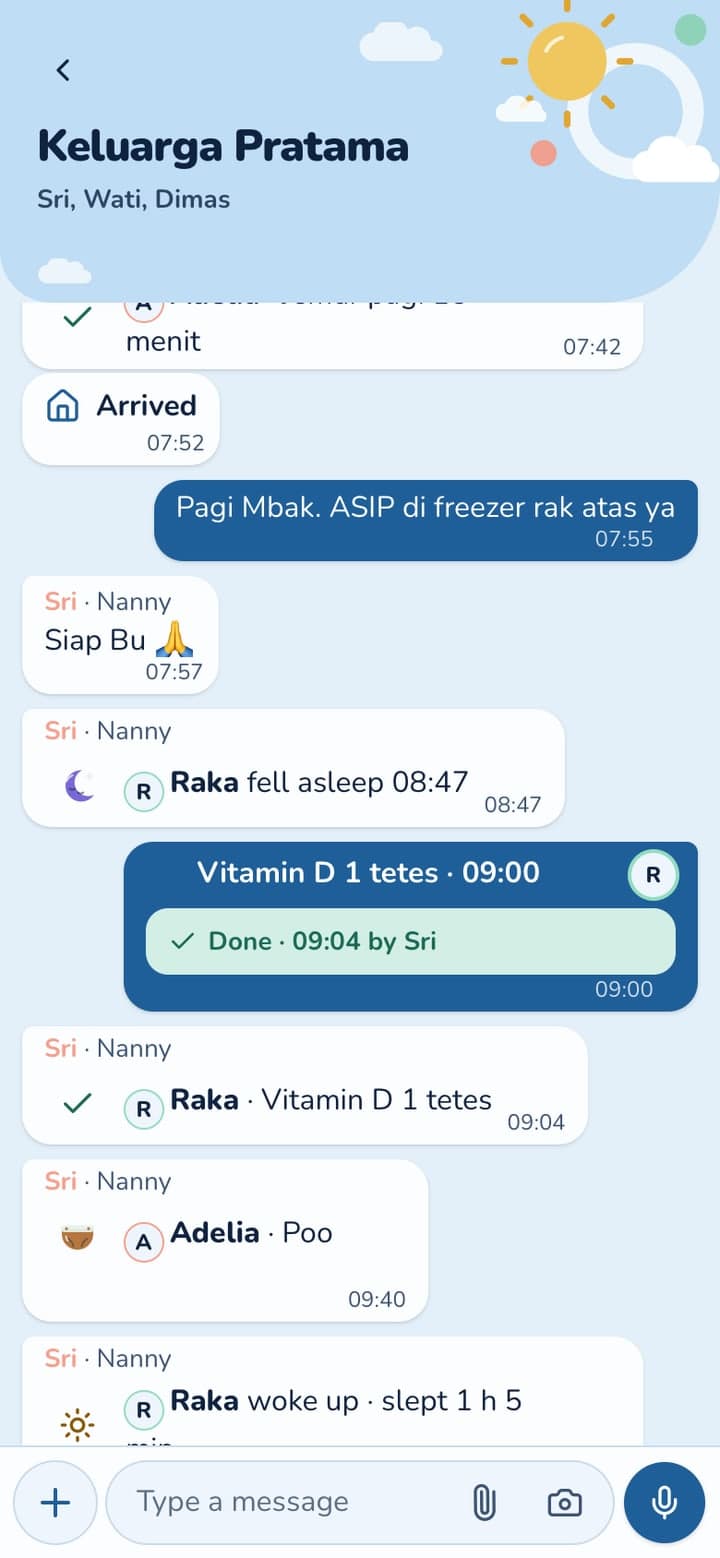
  • Every entry shows up in the family chat, with who logged it and when.
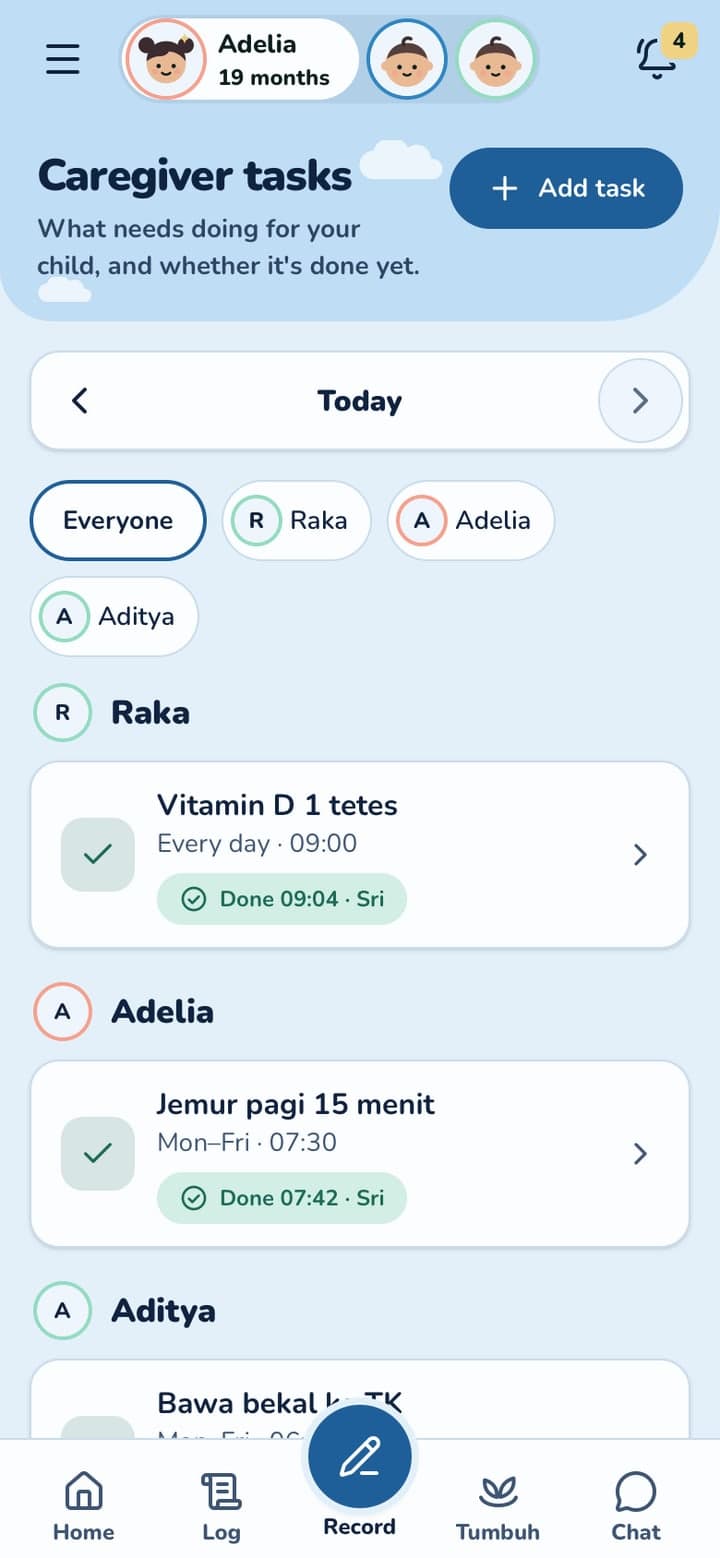
  • Give tasks such as "Vitamin D, 1 drop, 09:00", see them ticked off, and pause or remove her access at any time.

Be the caregiver, see what Mum gets

Watch Sri tap on her phone and the update appear on Mum's. That's how parents keep up with their child at work.

A demo with sample data. Nothing is saved, and you don't need an account.

Sri's phone

Mum's phone

1/7Sri taps Meal on her phone

Sri's day, on Mum's phone

1

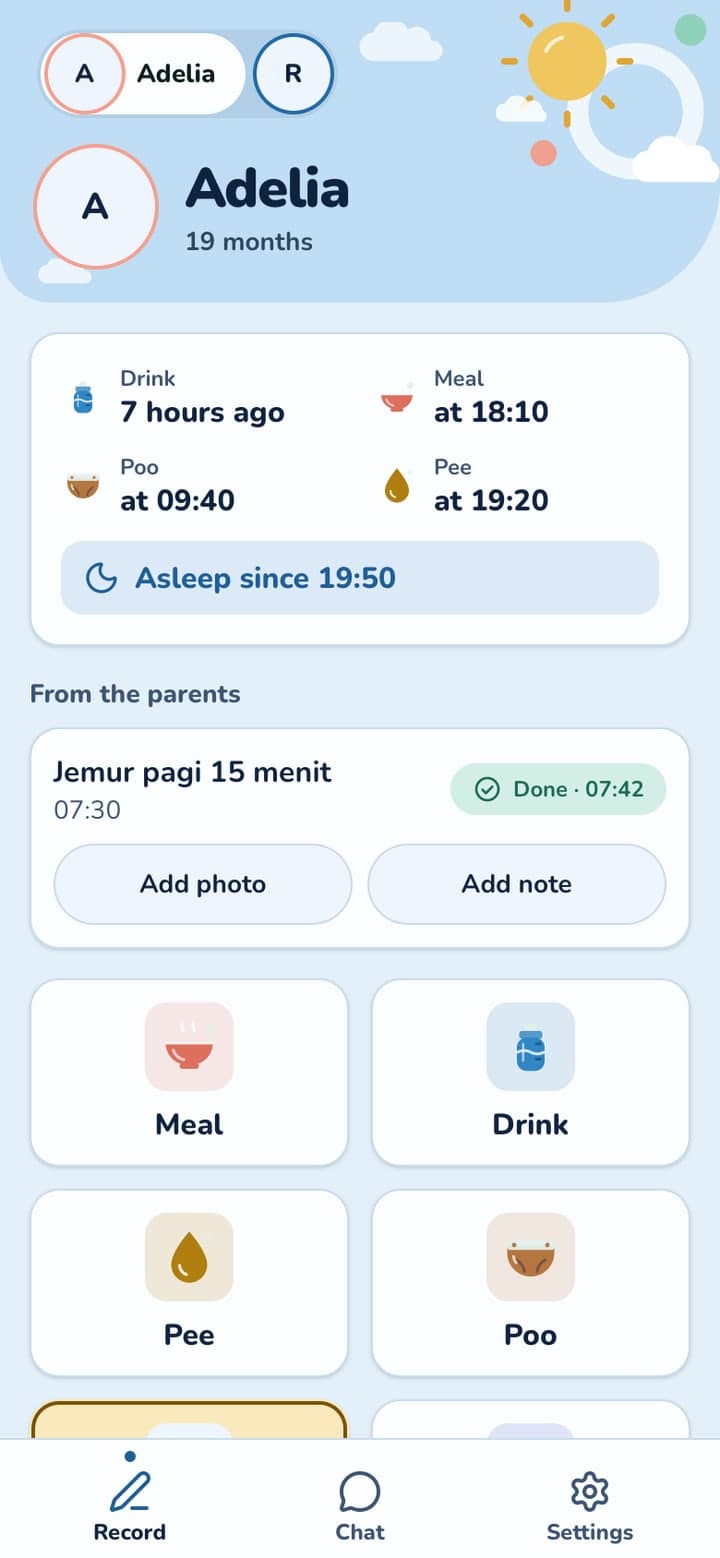
Sri's phone: big buttons for what happened. Each tap is an update for Mum.

2

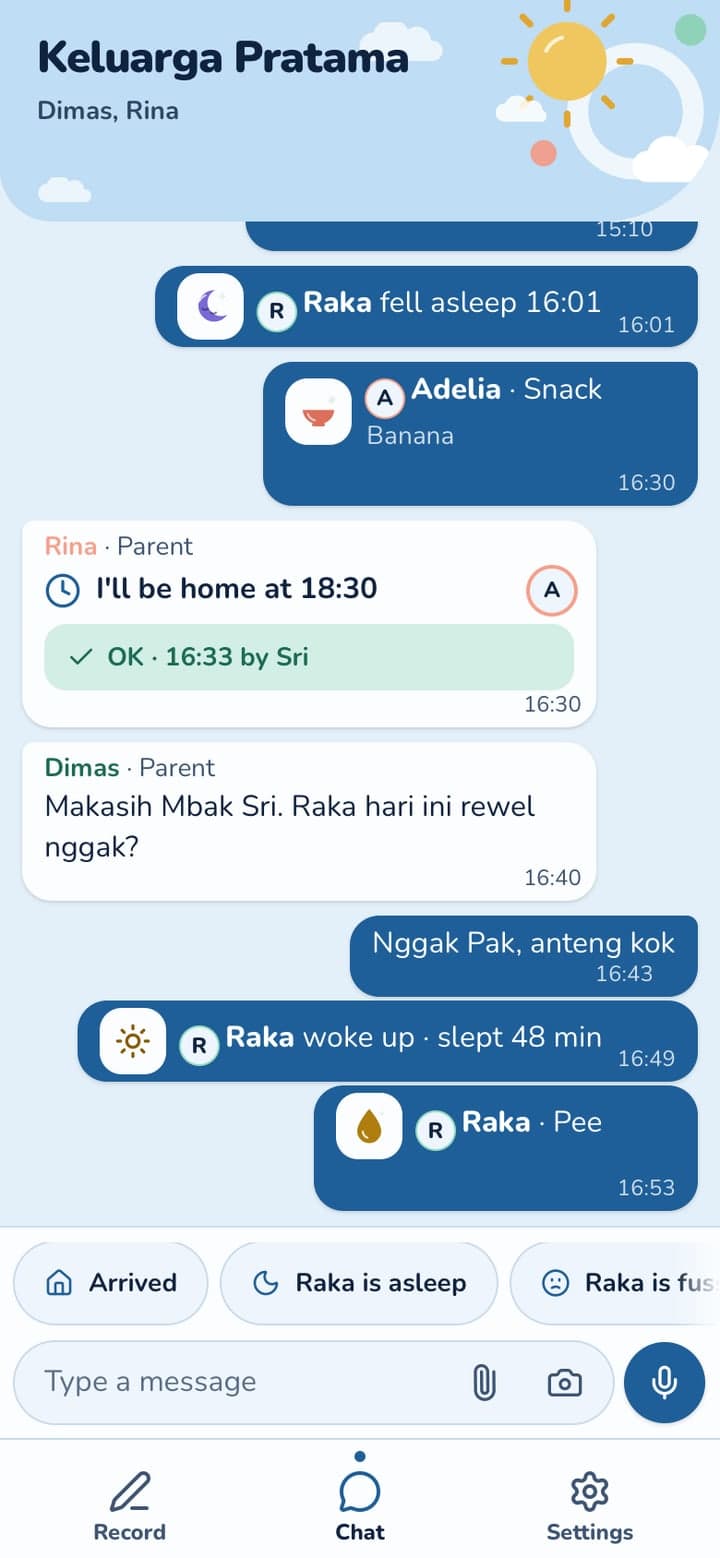
Mum sees each update in the family chat as Sri logs it, without having to ask.

3

Tasks from parents, such as vitamin D at nine, ticked off with the time.

4

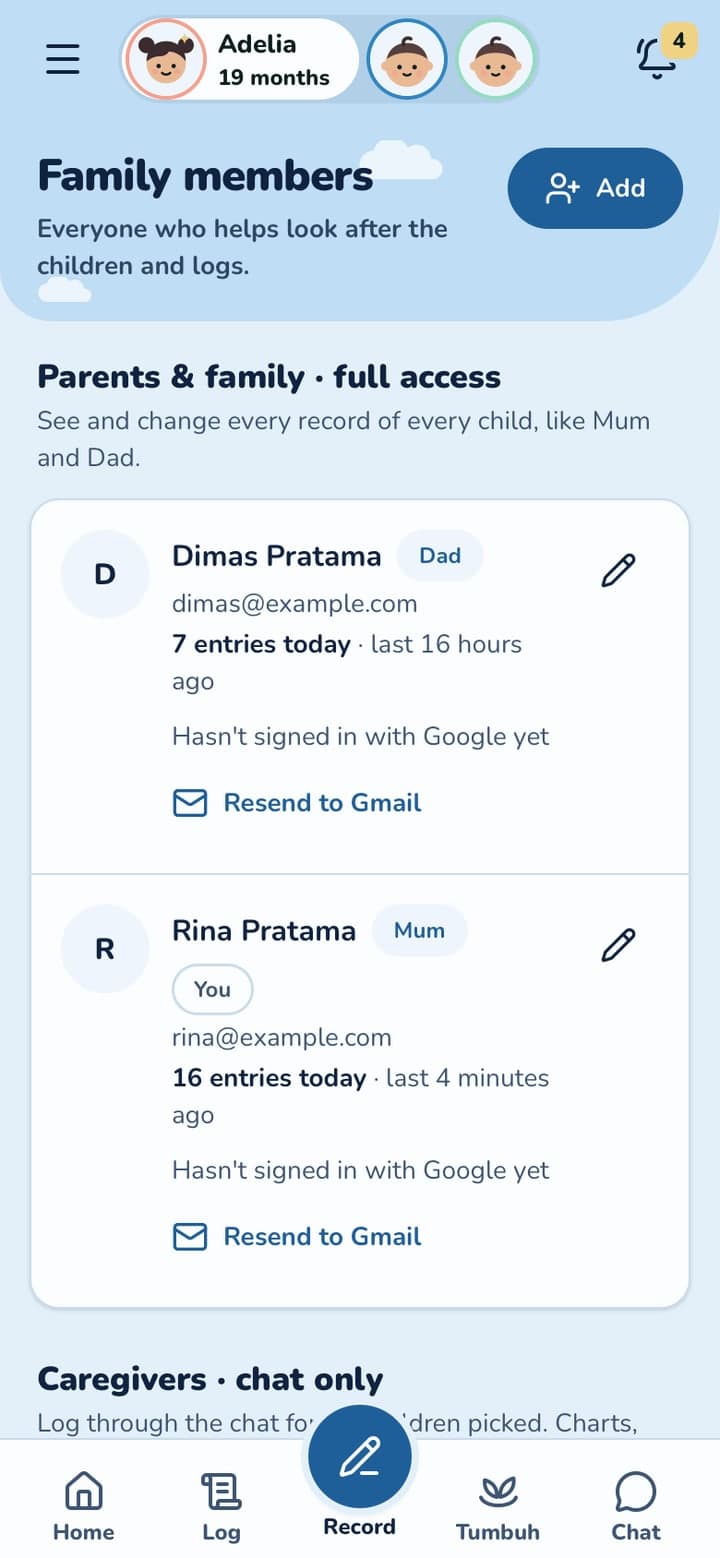
Parents choose who joins, and can pause or remove access at any time.

Swipe to see more

Simple for her, clear for you

Her own account

She signs in with her Google account. No shared passwords.

Quick replies

"Arrived", "Raka is asleep": one tap tells you what is happening.

Parents in charge

Pause or remove her access at any time from the family page.

Grandparents too

Kakek and Nenek can join the same way and log from their own phones.

Questions parents ask

What can the nanny see?

The children she cares for, today's essentials and the family chat. Growth charts, documents and health records stay with the parents.

Does she need a new phone?

No. Any Android phone or iPhone with a browser works. She installs Tumbuh like any app.

Can I stop her access?

Yes. Pause or remove it at any time from the family page.

How does the free trial work?

Every new family gets a free trial of 1 month, with every feature open. You don't need a card, and nothing is charged. After the trial, TuAI (Tumbuh AI), Ask TuAI and the nanny features need Tumbuh Premium; your logs, reports and vaccines stay free.

More questions

Start your child's record today

Start with a free 1 month trial, every feature included. On Android and iPhone.

Put Tumbuh on your home screen

Tumbuh is a web app. Install it once and it opens like any other app, on Android and on iPhone.

Android (Chrome)

Open app.tumbuhapp.id in Chrome and tap Install. No button? Tap the menu, then Add to Home screen.

iPhone and iPad (Safari)

Open app.tumbuhapp.id in Safari, tap Share, then Add to Home Screen.