TumbuhIDENTry free for 1 month

TuAI, the AI that writes your child's record for you

TuAI (Tumbuh AI) turns what you say or photograph into entries, reads your child's record, and helps you prepare for the doctor. You check everything before it's saved.

Try free for 1 month

Put Tumbuh on your home screen

Tumbuh is a web app. Install it once and it opens like any other app, on Android and on iPhone.

Android (Chrome)

Open app.tumbuhapp.id in Chrome and tap Install. No button? Tap the menu, then Add to Home screen.

iPhone and iPad (Safari)

Open app.tumbuhapp.id in Safari, tap Share, then Add to Home Screen.

Real app screens, sample family.

The problem

A good record takes time no parent has

  • Typing every feed, meal and nap on a phone is slow, so most of the day never gets written down.
  • Months of entries are hard to read back when you need one answer, like when the last fever was.
  • At the doctor, the questions you meant to ask are easy to forget.
How Tumbuh solves it

TuAI does the writing and the reading

  • Say a sentence, photograph a plate or a Buku KIA page, and TuAI writes the entries for you to check.
  • Ask TuAI about your child's record, such as how she slept this week, and get an answer from your own data.
  • Before a visit, TuAI sums up the record and helps you list the questions to ask the doctor.

Where TuAI works in the app

Each of these features uses TuAI. Each one saves you typing or reading, and you always check the result before it counts.

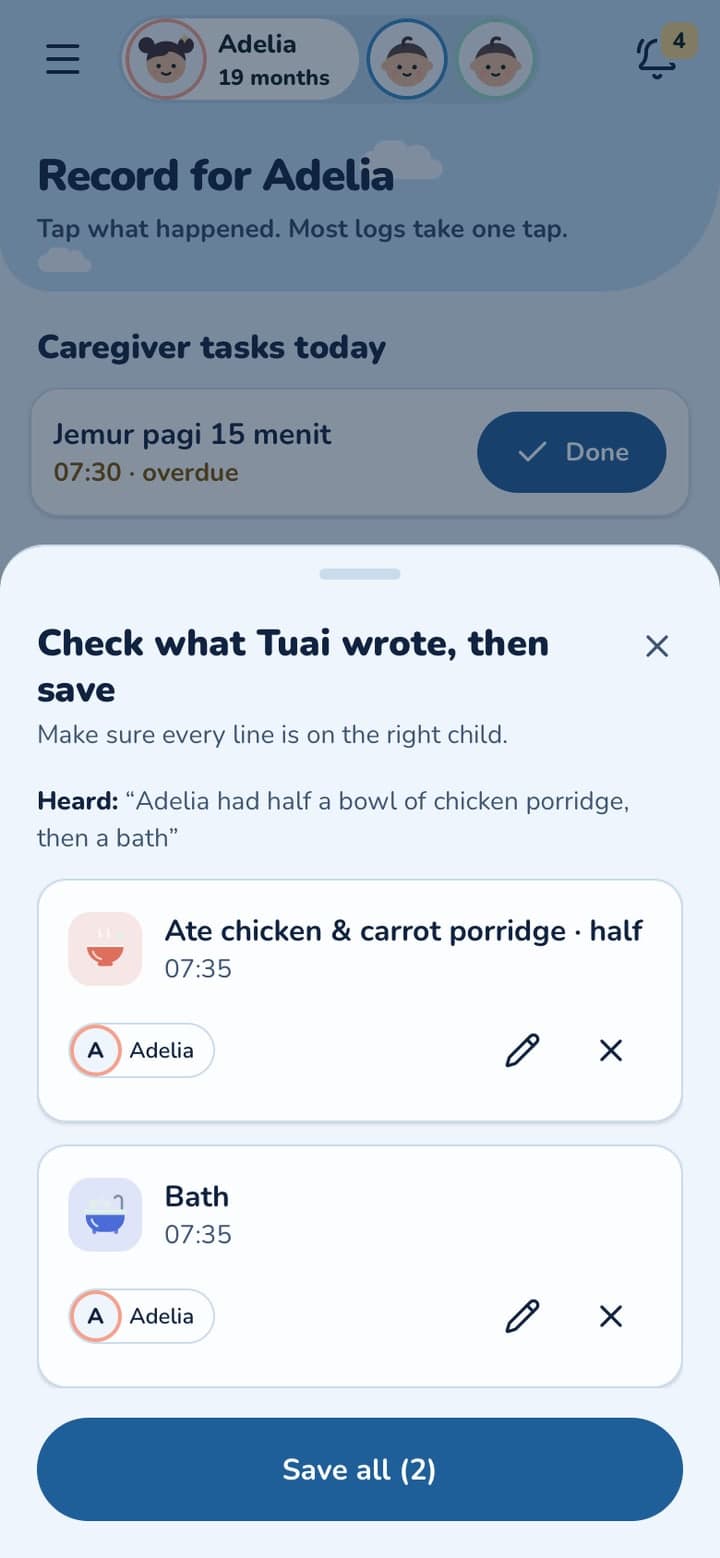
Tell TuAI what happened

Say or type one sentence, such as "Adelia ate half a bowl of porridge, then had a bath". TuAI writes the meal and the bath as entries, and you check them before saving. The nanny can do it too.

Part of Daily Care

A meal photo, counted

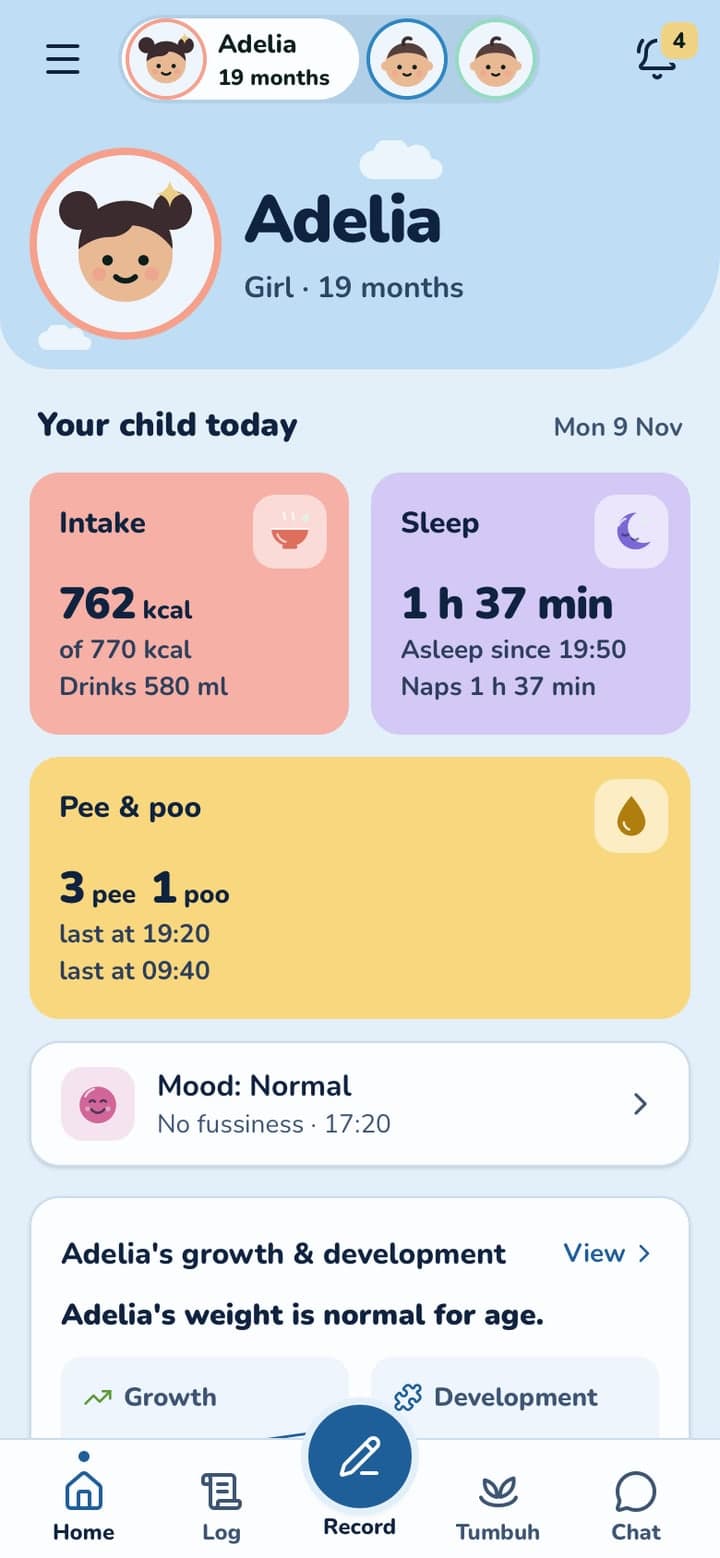
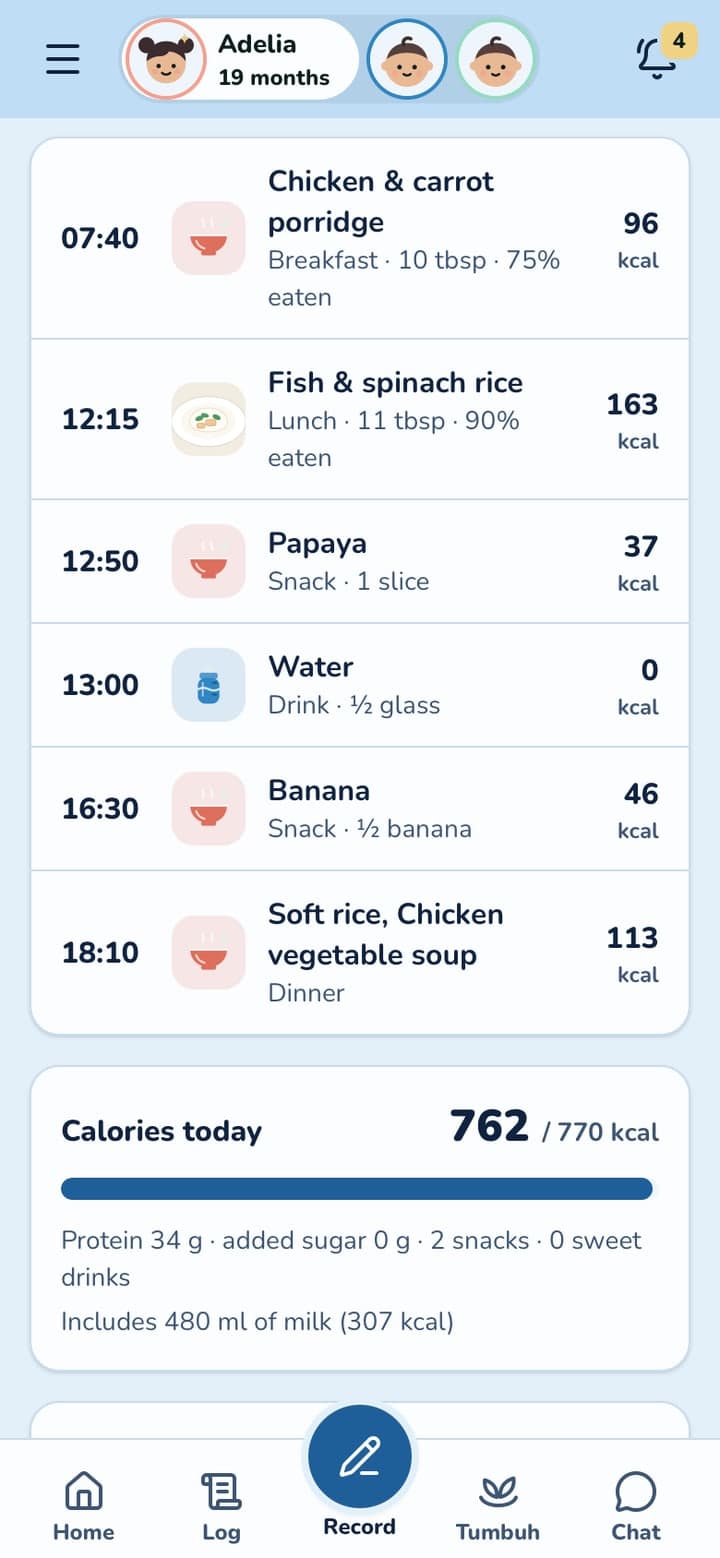
Photograph the plate. TuAI estimates the food and the portion, and Tumbuh counts the day's energy and nutrients against the AKG for your child's age.

Part of Growth & Nutrition

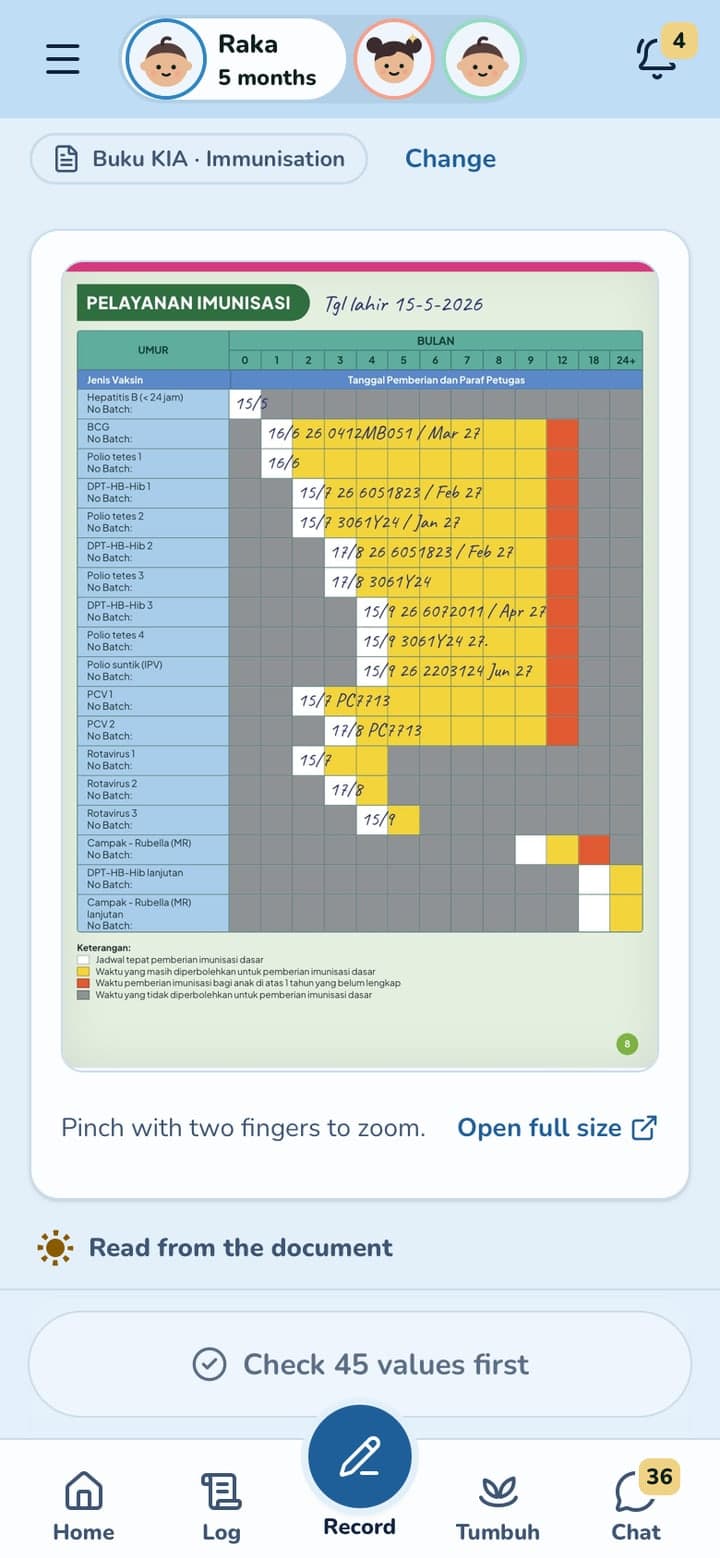
The Buku KIA and documents, read from a photo

Photograph a Buku KIA page, a prescription, a lab result or a BPJS card. TuAI reads the dates, doses and values, and you tick each one before it is saved.

Part of Health Records

Ask TuAI about the record

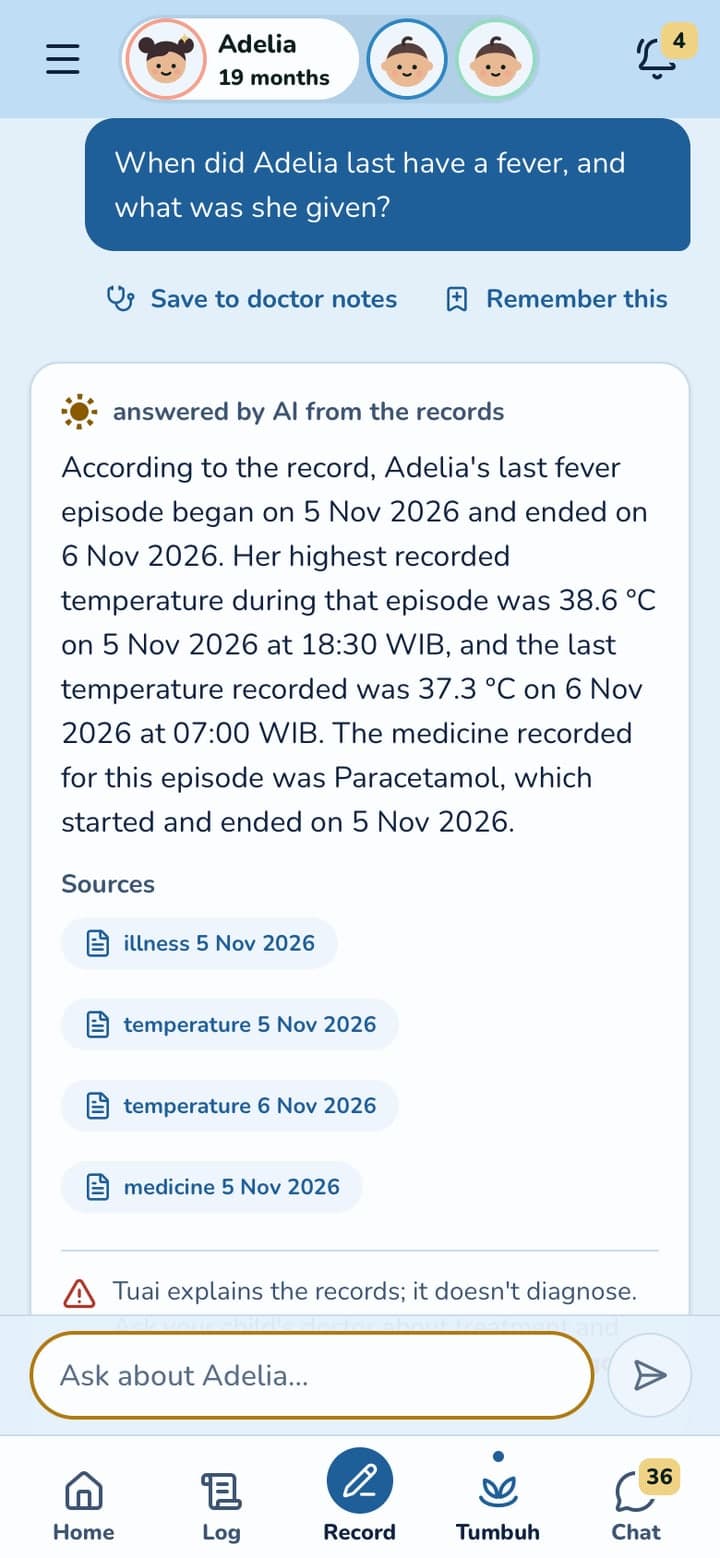
Ask in your own words, such as when the last fever was and what she was given. TuAI answers from your child's records and shows its sources. It explains; it never diagnoses.

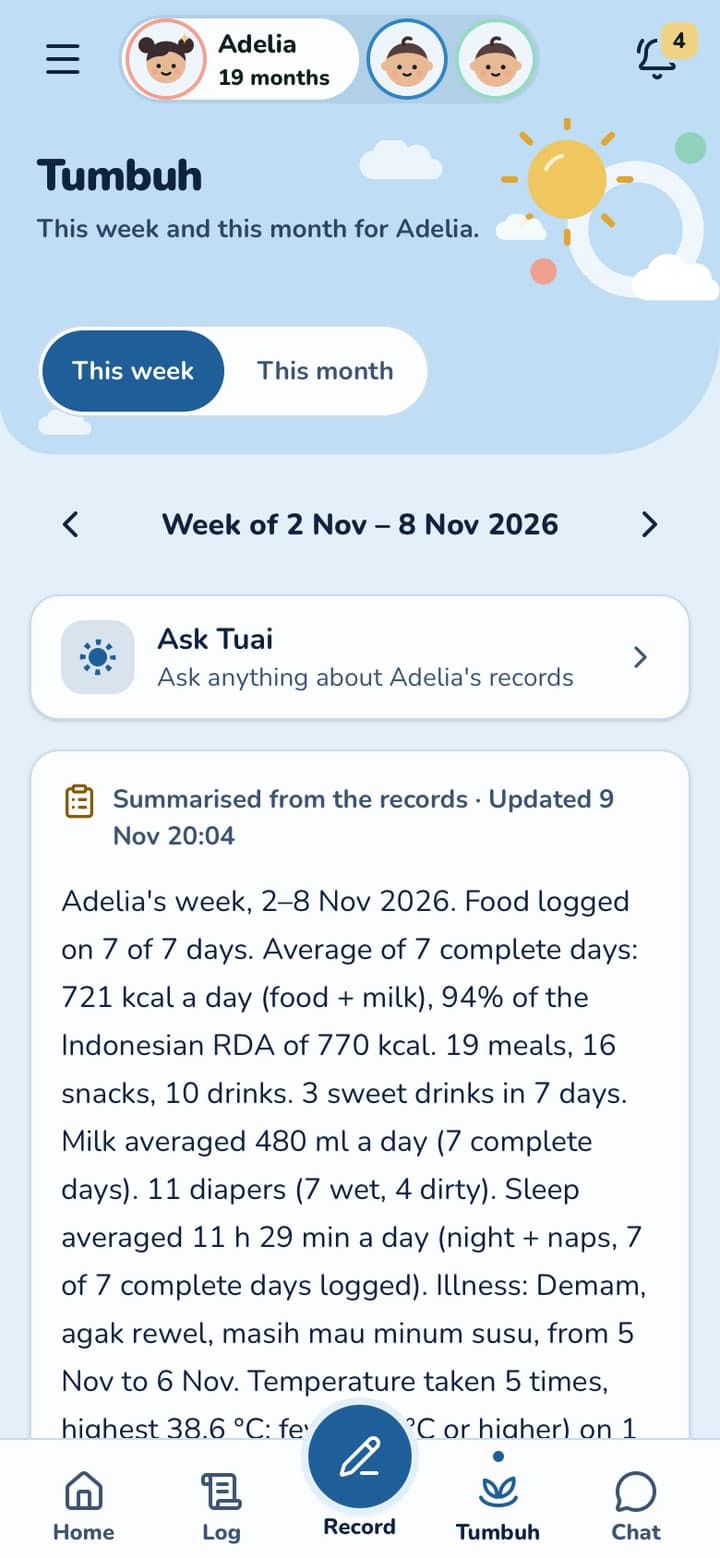
The week, in plain words

Each week and month, TuAI sums up meals, milk, sleep, diapers, illnesses and the next vaccines in a few sentences.

Part of Growth & Nutrition

Ready for the doctor

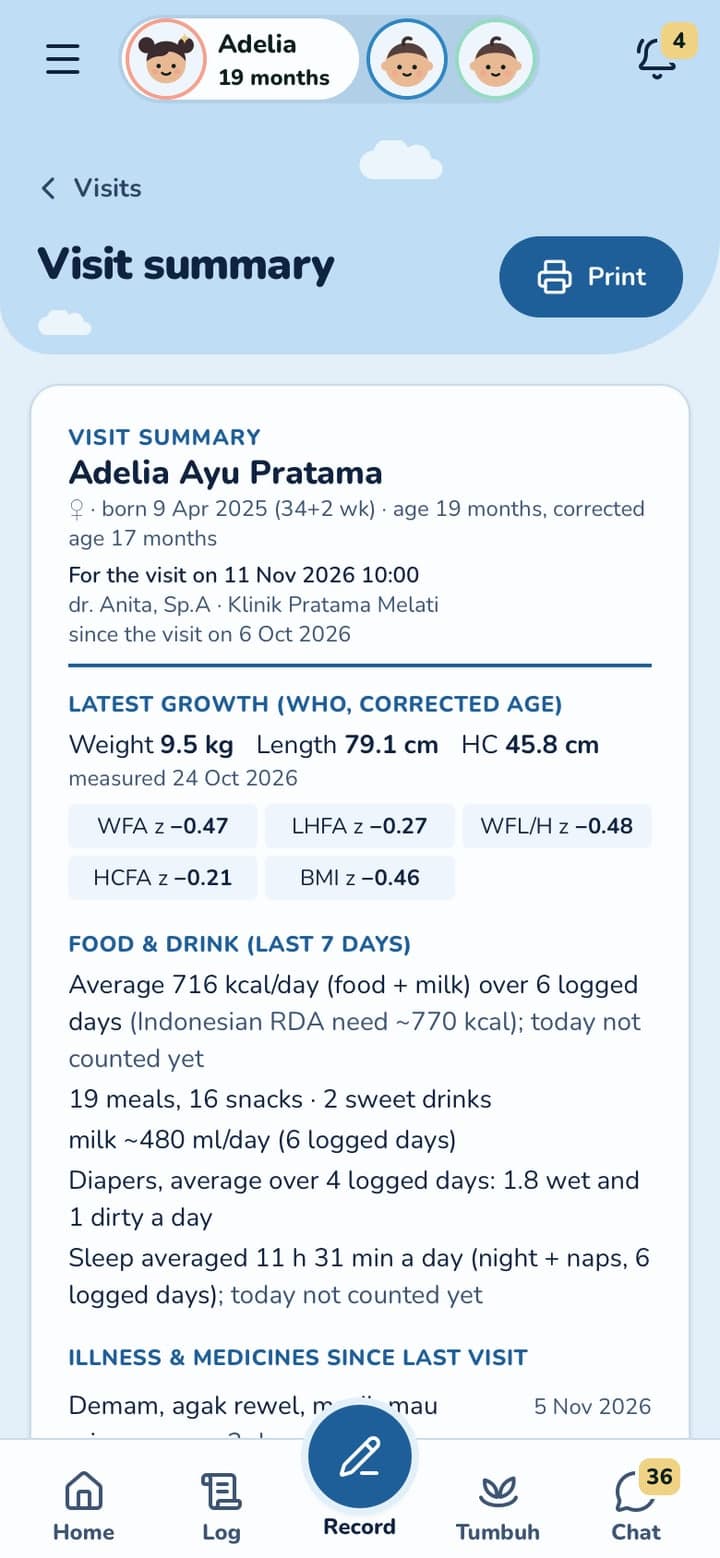
Before a check-up, growth, meals, sleep and illnesses since the last visit are on one page, with the questions you saved from Ask TuAI. Print it or show it on your phone.

Try TuAI

Watch TuAI (Tumbuh AI) turn a sentence and a meal photo into entries you check before saving. Pause, or go step by step.

A demo with sample data. Nothing is saved, and you don't need an account.

1/9Tap the voice button

Helpful, and never the one who decides

Reads what you log

Answers come from your child's own record: feeds, meals, sleep, growth, vaccines and illnesses.

Ready for the doctor

A summary of the record since the last visit, with the questions you want to ask.

You check first

Nothing is saved until you tap Save, and every entry can be edited.

No diagnosis

TuAI records, sums up and points things out. It never diagnoses or prescribes; your doctor decides.

Questions parents ask

Does the AI decide anything about my child?

No. TuAI writes entries from what you say or photograph, and you check them. Tumbuh records, sums up and flags. It never diagnoses or prescribes.

Does the AI save things by itself?

No. TuAI proposes the entries, and nothing is saved until you tap Save.

Is TuAI included in the free trial?

Yes. Every feature, TuAI included, is open during the free 1 month. After that, TuAI and Ask TuAI need Tumbuh Premium.

Who owns the data?

Your family does. It is kept under Indonesia's personal data protection law, and you can download everything or delete it whenever you want.

More questions

Start your child's record today

Start with a free 1 month trial, every feature included. On Android and iPhone.

Put Tumbuh on your home screen

Tumbuh is a web app. Install it once and it opens like any other app, on Android and on iPhone.

Android (Chrome)

Open app.tumbuhapp.id in Chrome and tap Install. No button? Tap the menu, then Add to Home screen.

iPhone and iPad (Safari)

Open app.tumbuhapp.id in Safari, tap Share, then Add to Home Screen.