TumbuhIDENTry free for 1 month

Every meal, every nap. Even when you're at work.

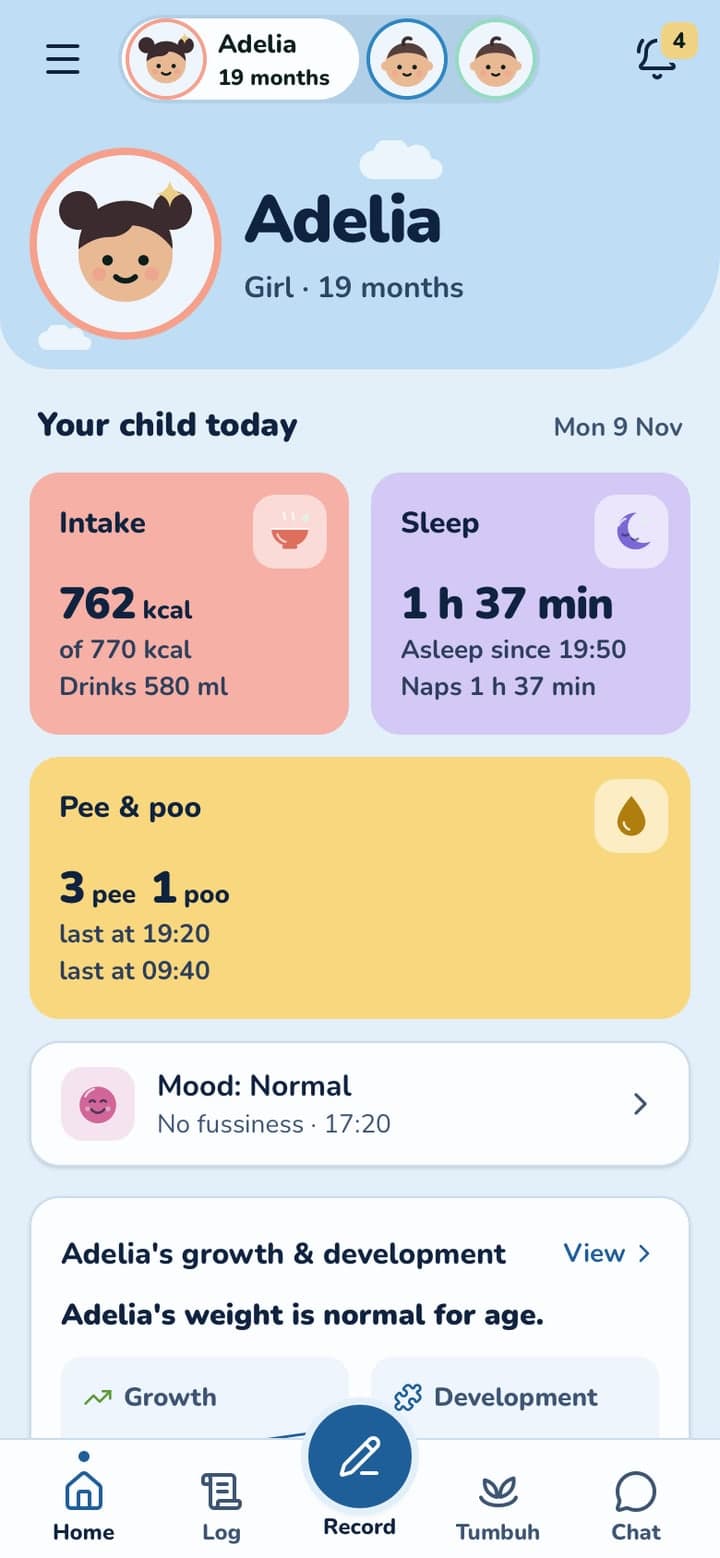
Stay connected to your child's day through simple updates, photos and daily logs from the people caring for them.

Real app screens, sample family.

The problem

A child's record is scattered everywhere

  • Weight in the Buku KIA, vaccine dates on a handwritten page, the nanny's updates in WhatsApp, the rest in your memory.
  • When the doctor asks when the last fever was, the answer is hard to find.
  • And a chart full of numbers doesn't tell you whether your child is doing well.
How Tumbuh solves it

Tumbuh keeps it in one place, and does the writing for you

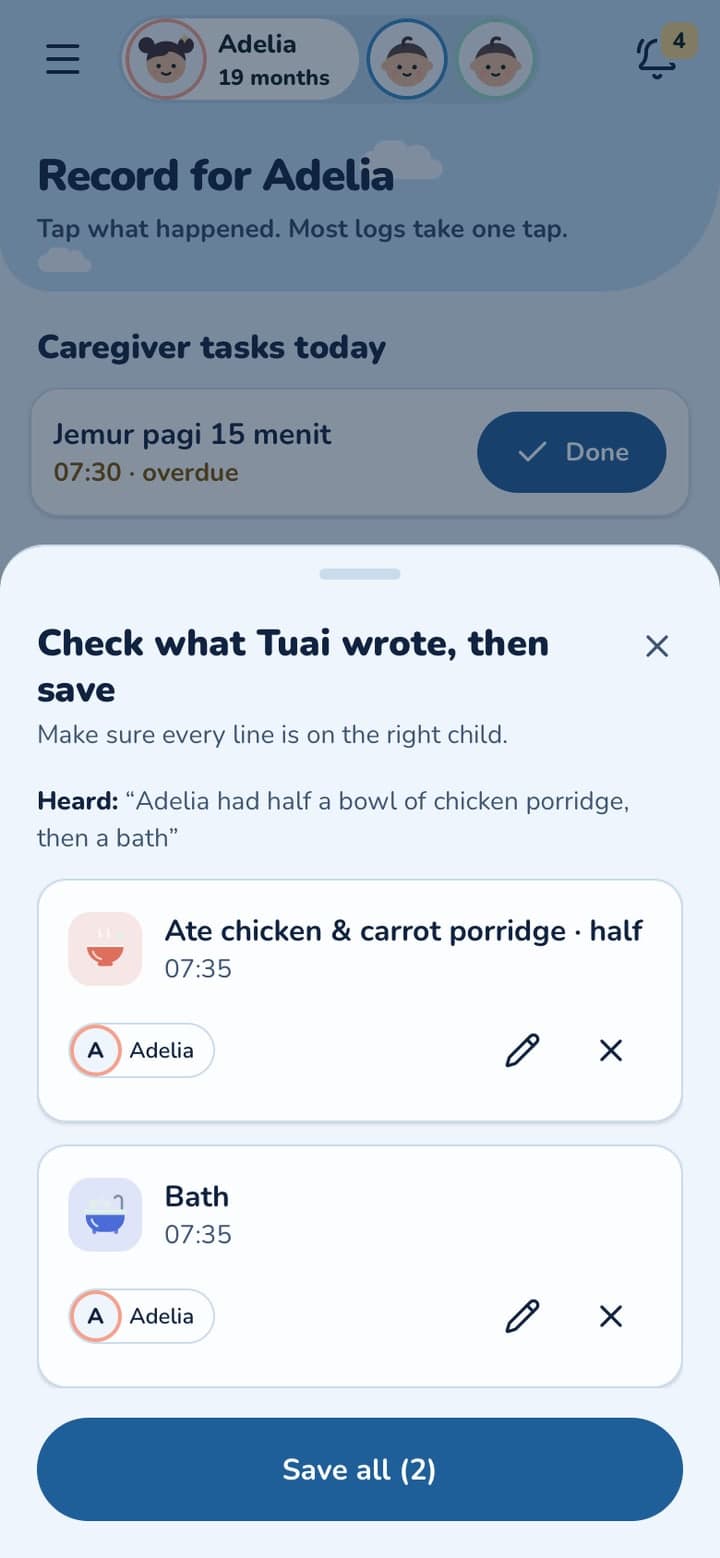
  • Say or type what happened, or snap the plate or a Buku KIA page. TuAI (Tumbuh AI) turns it into entries, and you check them before saving.
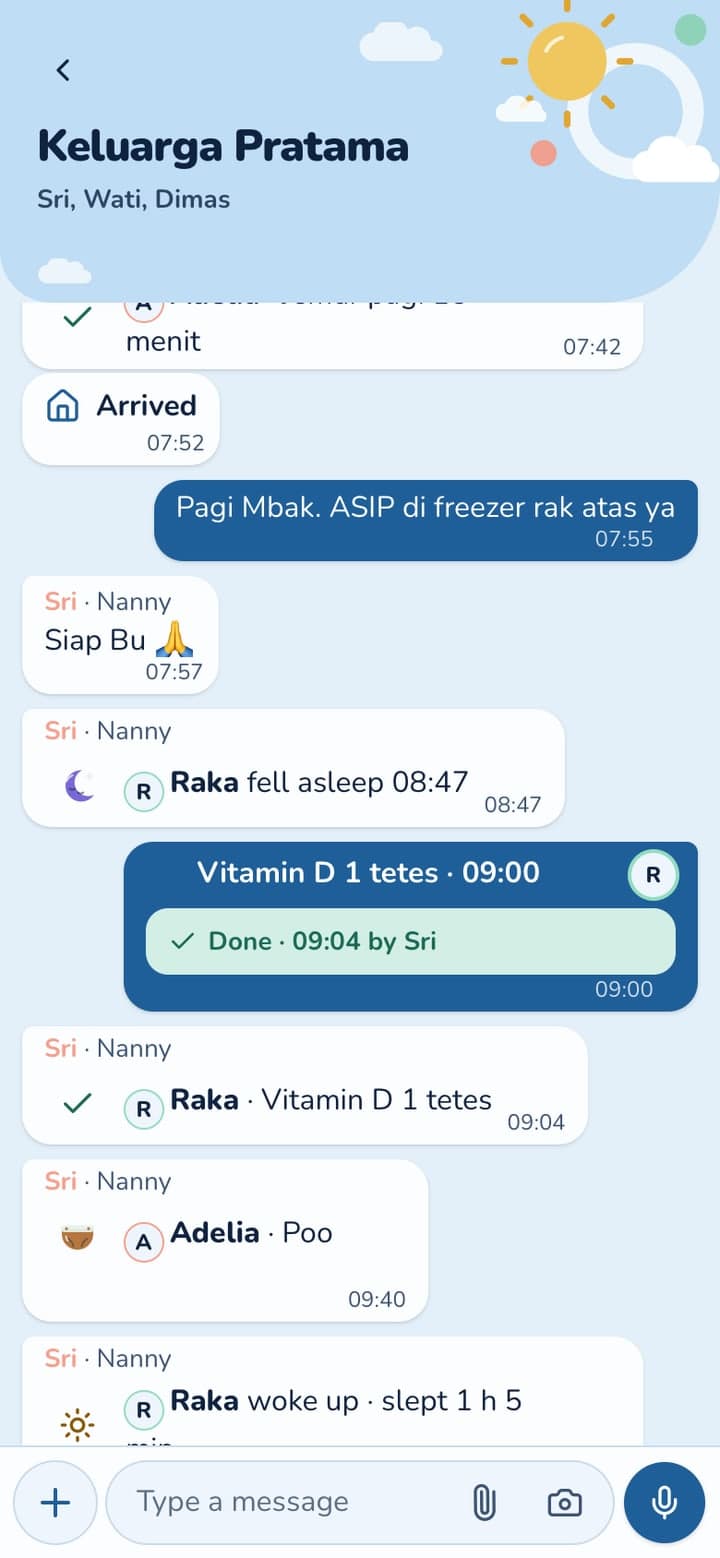
  • Everyone who cares for your child logs into the same record from their own phone.
  • Tumbuh reads the record for you: growth in one plain sentence, the next vaccine, the day at a glance.

Try TuAI

Watch TuAI (Tumbuh AI) turn a sentence and a meal photo into entries you check before saving. Pause, or go step by step.

A demo with sample data. Nothing is saved, and you don't need an account.

1/9Tap the voice button

One day with Adelia (19 months)

Breakfast and bath, said out loud. TuAI writes the entries.

Sri gives vitamin D and ticks it off. Mum sees it at work.

Nap time. One tap on Record.

After the posyandu, the growth chart says it plainly.

Bedtime. The whole day is there, with who logged what.

Swipe to see more

Why it matters

Why the first 1,000 days matter

The first 1,000 days only happen once. From pregnancy to their second birthday, your child's body and brain grow faster than they ever will again. Much of what's missed then can't be done over.

  1. Pregnancy
  2. Birthbirth weight & length
  3. 2 yrsthe 1,000 days end
  4. 5 yrsthe under-five years end
  5. and beyond →
21.5%

of Indonesian children under five are stuntedIndonesia Health Survey (SKI) 2023, Ministry of Health

How Tumbuh helps

Log and follow your child's growth in one app

Tumbuh helps you see this time clearly, one feature at a time:

Why

The first five years set the course of a life.

It's rarely one big thing. It's small things, noticed late.

Two months of weight gain stalling, while the growth chart waited for the next posyandu visit.

How Tumbuh helps

Each weighing goes on the WHO chart, and a slowdown is flagged the week it starts.

Learn more

A fourth course of antibiotics this year, and nobody was counting.

How Tumbuh helps

Every illness and medicine stays in one history. Ask TuAI how many courses this year, and bring the answer to the doctor.

Learn more

The 18-month booster, missed because the Buku KIA was in a drawer.

How Tumbuh helps

The schedule follows your child's age, with a reminder before each dose. The Buku KIA is a photo away.

Learn more

“You'll remember the birthdays. Tumbuh remembers the rest.”

Free for 1 month, on Android and iPhone

Sign in with Google and add your child, with every feature open during the trial. Install it from the browser, no app store needed.

Questions parents ask

How does the free trial work?

Every new family gets a free trial of 1 month, with every feature open. You don't need a card, and nothing is charged. After the trial, TuAI (Tumbuh AI), Ask TuAI and the nanny features need Tumbuh Premium; your logs, reports and vaccines stay free.

Does the AI decide anything about my child?

No. TuAI writes entries from what you say or photograph, and you check them. Tumbuh records, sums up and flags. It never diagnoses or prescribes.

Which phones does it work on?

Android with Chrome, and iPhone or iPad with Safari. Install it from the browser. There is nothing to download from a store.

Who owns the data?

Your family does. It is kept under Indonesia's personal data protection law, and you can download everything or delete it whenever you want.

More questions

Start your child's record today

Start with a free 1 month trial, every feature included. On Android and iPhone.

Put Tumbuh on your home screen

Tumbuh is a web app. Install it once and it opens like any other app, on Android and on iPhone.

Android (Chrome)

Open app.tumbuhapp.id in Chrome and tap Install. No button? Tap the menu, then Add to Home screen.

iPhone and iPad (Safari)

Open app.tumbuhapp.id in Safari, tap Share, then Add to Home Screen.